


%20(1).avif)
The Perks of Automated Bookkeeping for Accounting Pros
Still doing the books in Excel? Read on to learn why and how to automate bookkeeping to your advantage, even if you handle clients with few transactions.


Dedicated accounting software for CPA firms can guarantee to make your firm more efficient, accurate, offer more comprehensive reporting, without the risks of breaking tax laws or regulations.
Accounting software for CPA firms is an accounting tool with extra features designed to handle your clients’ tax preparation, bookkeeping, audits, reporting, and more…
In this article
Still managing your clients' finances manually? You're leaving time and money on the table.
Using a generic accounting tool? You're making your job harder than it needs to be.
If you're ready to find software built specifically for CPA firms, you're in the right place.
Accounting software for CPA firms is a tool that is designed for Certified Public Accountants. These tools will typically handle tasks such as bookkeeping, tax preparation, compliance, audits, and financial reporting.
Accounting software has been created to increase both efficiency and accuracy, allowing you to expand your CPA firm and offer a more detailed and personalized service to all your customers.
Unlike general (or more basic) accounting and bookkeeping tools, an accounting software used in a CPA firm should focus more on more specific tasks, including handling multi-entity operations, tax law compliance, document management, and secure data storage.
More differences between a basic accounting solution and a dedicated CPA software include:
Taxes have evolved significantly in recent years, yet many firms still rely on the same outdated processes. As more of your clients take on roles across multiple companies or international organizations, their tax situations grow increasingly complex, demanding more of your time and attention.
And when you're managing dozens of clients, each with unique reporting requirements and different tax obligations, handling everything manually quickly becomes unsustainable. You're juggling paper files, spreadsheets, misplaced records, calculation errors, and constant delays. Sound familiar?
Accounting software changes that. By automating your workflows and maintaining detailed audit trails, it gives you full visibility into every step of every process, without the chaos.
The short answer: across every area where manual processes are slowing you down or putting you at risk.
Tax laws change constantly and vary across jurisdictions, making compliance a moving target.
Think about how much time you spend tracking regulatory updates across multiple states or countries and making sure those changes are applied correctly. It's time-consuming, stressful, and one small oversight can mean large fines or a lost client.
Accounting software updates automatically to reflect new regulations, so your filings stay accurate without the manual research burden.
Manual data entry alone is eating up over 10 hours of your week, before you even factor in tax law changes or onboarding new clients. Imagine reclaiming that time.
Accounting software automates your most repetitive tasks, from reconciling bank transactions to generating reports, freeing up more than a full business day each week that you can reinvest into advisory work, financial planning, and growing your client base.
You already know that working under pressure with tight deadlines is a recipe for mistakes.
A single misplaced decimal or forgotten entry can throw off an entire financial statement and put your reputation on the line.
Accounting software embeds formulas, compliance checks, and validation tools directly into your workflow, catching errors before they become costly problems.
Your clients don't just want accurate numbers; they want insights and advice they can act on.
But when you're buried in manual processes, there's little time left for the deeper analysis that sets your firm apart.
With the right software, a cash flow forecast that once took days to compile can be ready in minutes, giving you the space to show up as the trusted strategic advisor your clients need.
Until recently, CPA firms have managed client files in paper format or through basic spreadsheets, and storing information in basic cloud-based document filing systems such as Google Drive.
This system requires constant manual data entry, unsafe storage systems, and cross-referencing documents.
Filing taxes often meant juggling various forms, calculators, and filing systems. This lead to slow processing, higher risk of errors, limited accessibility, and significant security risks.
Modern accounting software solves these issues by digitizing and automating processes.
Taxes can be calculated automatically, compliance updates are integrated, and reports are generated instantly. Secure digital document management eliminates the need for physical filing while encryption protects sensitive client information.
In short, CPA firms can handle more clients with greater efficiency and accuracy.
Not all accounting tools are built for what you do. A generic solution might handle the basics, but if it can't support the complexity of your clients' tax situations, compliance requirements, and data security needs, it's going to create more problems than it solves.
Here are the features you should be looking for before committing to any platform:
The financial data your clients trust you with is among the most sensitive information there is. A single breach can lead to identity theft and financial loss for your clients, and expose your firm to litigation and compliance issues that could permanently damage your reputation.
The right software protects you with built-in advanced encryption, ensuring that even if data is intercepted, it remains unreadable to unauthorized parties.
Role-based access lets you control exactly who on your team can see what, and secure backups stored across geographically distributed locations mean your firm keeps running even in the event of a cyberattack, hardware failure, or natural disaster.
Tax season already means high workloads and intense pressure.
The last thing you need is to be manually recalculating payroll deductions, sales tax, and complex business computations for every client.
Automated tax calculation handles all of that with precision, so when you're preparing quarterly filings for a business with 50 employees, the software takes care of payroll taxes, retirement contributions, and deductions automatically. You get accuracy, and you get your time back.
If any of your clients operate internationally or manage finances across multiple currencies, this feature is non-negotiable.
A multicurrency capability automates foreign exchange adjustments and keeps you compliant with international reporting standards.
Working with a Canadian client, for example, means automatically reconciling USD and CAD transactions, applying real-time exchange rates, and producing reports that satisfy both U.S. GAAP and IFRS requirements, without any manual conversions.
Tax laws shift constantly, and if your clients are spread across different states or countries, keeping up with every jurisdiction's rules is a serious challenge.
A universal tax engine takes that off your plate by automatically applying the correct tax rules for wherever your clients operate.
No more maintaining separate spreadsheets for each client's tax situation. The software handles it seamlessly, saving you hours of manual review and significantly reducing your risk of noncompliance.
If you've ever spent time hunting through email inboxes, shared drives, or filing cabinets for a single document, you already know how costly disorganization can be.
A built-in document management system (DMS) centralizes everything in one secure, searchable location.
Your clients can upload documents directly to your firm's encrypted portal, and you can find exactly what you need in seconds.
Beyond the time savings, a proper DMS keeps you compliant with privacy regulations and makes secure document sharing effortless for both your team and your clients.
Your clients expect more than accurate numbers. They want clarity, insight, and guidance they can act on.
Advanced reporting capabilities let you go well beyond basic profit-and-loss statements, producing audit-ready financial statements, custom dashboards, compliance summaries, and year-over-year analyses at the click of a button.
When a client needs a cash flow forecast ahead of a loan application, you can have a detailed, data-backed report ready in minutes rather than days. That kind of responsiveness is what builds long-term trust and positions you as an indispensable advisor.
There are many types of accounting tools. Some are meant for finance teams, some for accounting and bookkeeping firms, and some are better suited for CPA firms.
Let’s compare 7 of the most popular (and favorite) accounting tools.
⭐⭐⭐⭐⭐ Ratings
Capterra 4.9/5
Overview
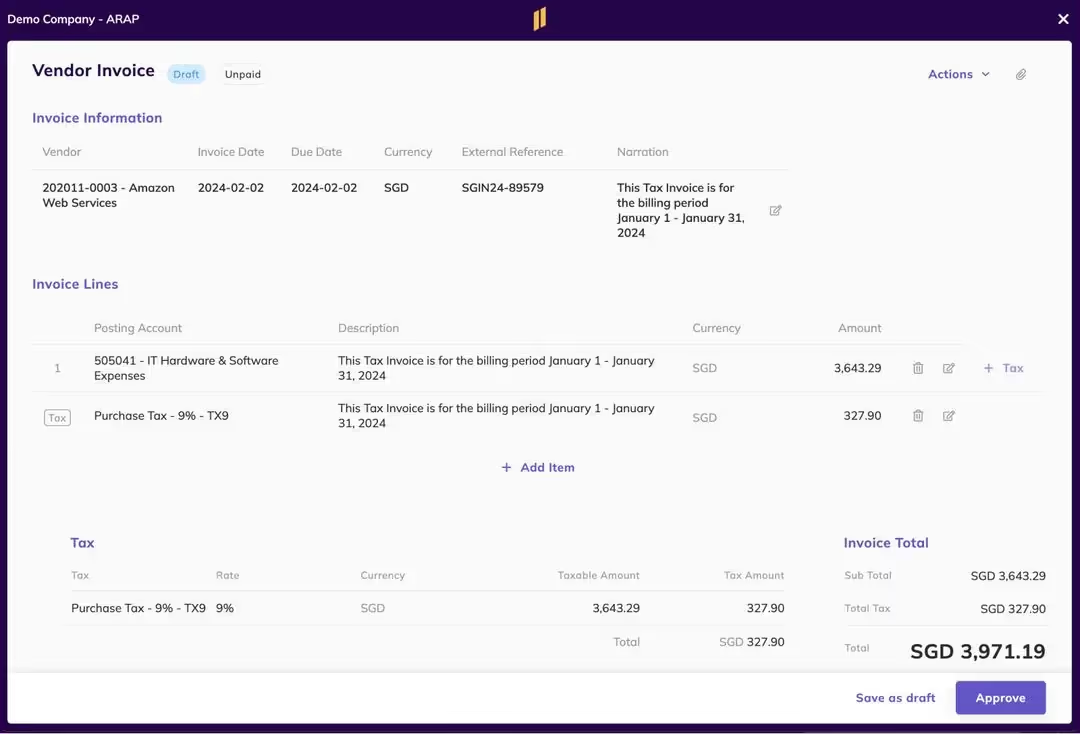
Eleven is an accounting software designed for CPA and family firms, as it blends financial management and solid security.
To protect your client’s data, Eleven uses encryption for sensitive tax documents, client records, and compliance files, therefore reducing dramatically the risk of data breaches.
In addition, Eleven supports day-to-day practice workflows such as tax filing, financial reporting, and client collaboration in a secure, centralized environment.
Unlike other accounting tools, Eleven has a built-in DMS that will store, manage, and organize all of your firm’s and clients’ data so you can access it at any time.
Best features for CPA firms
Who is it for
Eleven is best suited for CPA firms, tax professionals, and accounting practices that manage large volumes of confidential financial data.
It’s particularly valuable for firms transitioning from general online storage solutions to industry-grade systems with compliance and security at the forefront.
✔️ Pros
✖️ Cons
⭐⭐⭐⭐ Ratings
G2 4.2/5
Overview
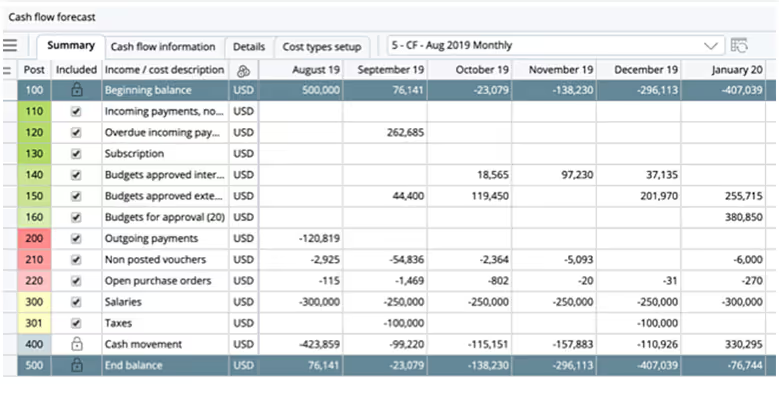
Deltek is an enterprise-level accounting and project management software designed to support firms that balance financial accounting with client project oversight.
This software integrates time tracking, billing, resource allocation, and compliance monitor into one system.
Deltek is a useful tool for CPA firme who manage large client bases o multi-phase projects.
Firms often highlight its ability to handle complex client engagements, resource management, and compliance requirements, though some note that its interface and setup can feel more complex compared to lighter accounting solutions.
Best features for CPA firms
Who is it for
Deltek is best suited for CPA firms that handle project-based work or offer services beyond tax and audit.
Large accounting and CPA firms will find Deltek’s combination of project management and financial tracking particularly valuable.
✔️ Pros
✖️ Cons
⭐⭐⭐Ratings
G2 3.5/5
Overview
Thomson Reuter’s Virtual Office CS is a cloud-based software that includes tax, accounting, and practice management applications.
UltraTax CS integrates seamlessly into the virtual office.
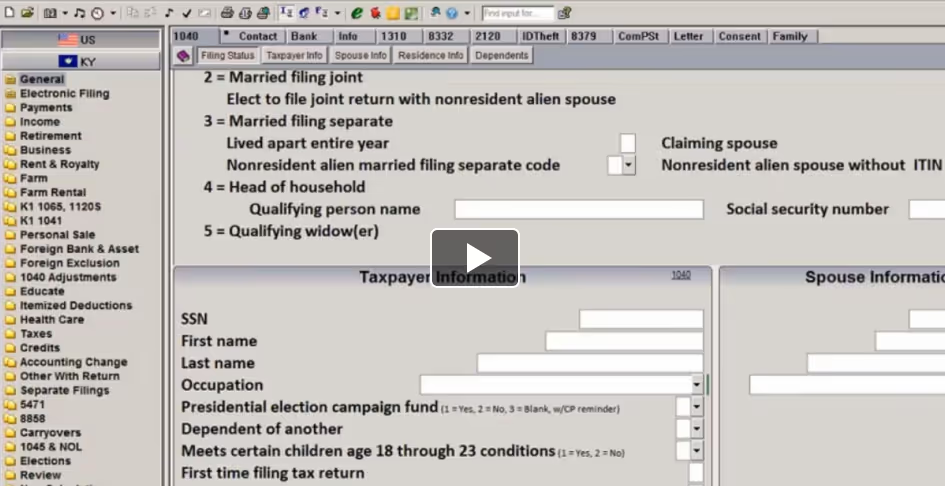
UltraTax is is a tax compliance and preparation tool built for accounting firms.
This tool manages tax preparation with built-in diagnostics, e-filing capabilities, and automated compliance checks.
UltraTax CS is quite popular among CPA firms for its deep compliance capabilities and integration with the Thomson Reuters CS Professional Suite. Firms highlight its efficiency in handling complex tax returns, multi-state filings, and electronic submissions.
Many reviewers note that while it’s a powerful system, it comes with a steeper learning curve and higher cost compared to more lightweight tax solutions.
Best features for CPA firms
Who is it for
UltraTax CS is best suited for mid-sized to large CPA firms that manage complex client tax scenarios, including multi-entity and multi-state filings.
Firms already using other Thomson Reuters CS applications benefit most, as the ecosystem offers a tightly integrated practice management and compliance solution.
✔️ Pros
✖️ Cons
⭐⭐⭐⭐ Ratings
G2 4.3/5
Overview
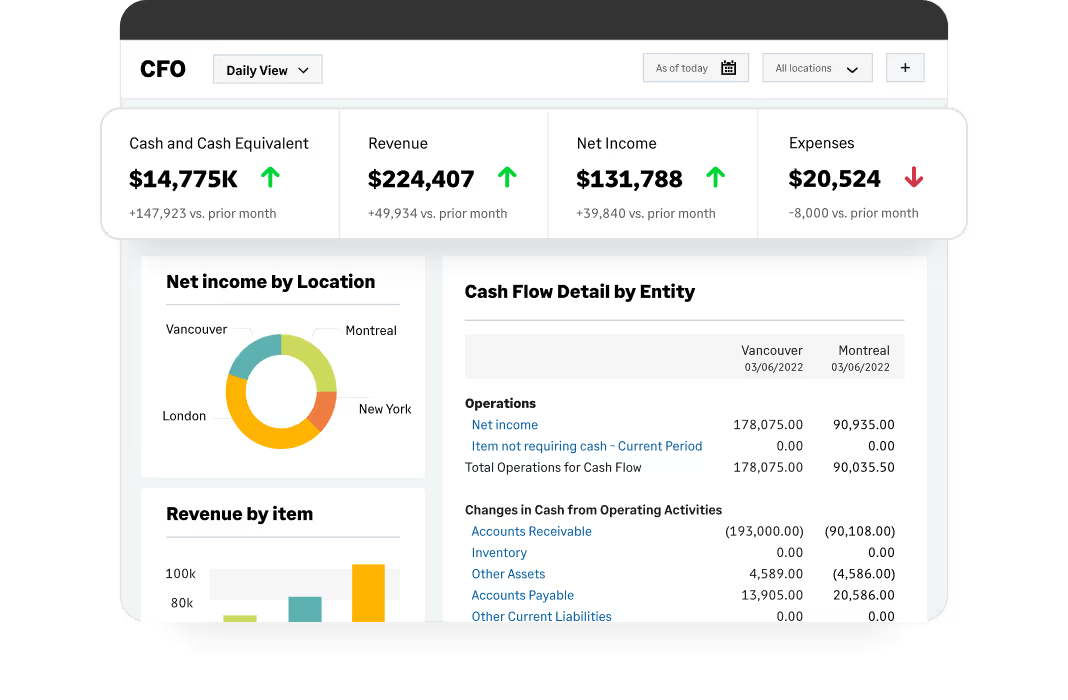
Sage is an accounting and financial management software that has a separate product for accountants, Sage for Accountants.
This tier is best option for CPA firms, as it offers financial reporting, budgeting, and cash flow management.
Unlike smaller accounting tools, Sage scales to support mid-sized and large firms that manage multiple entities, complex reporting requirements, and high transaction volumes.
Sage is praised for its flexibility, scalability, and strong financial management features.
Many CPA firms note its reliability in handling general ledger, accounts payable/receivable, and financial reporting at scale.
However, if you choose Sage, you will need a separate tool for tax and auditing tools with good integrations so you can build a full CPA workflow.
Best features for CPA firms
Who is it for
Sage is best suited for mid-sized to large accounting firms that require advanced financial management.
However, it is better suited for CFOs and Finance teams in large enterprises.
Firms with diverse service offerings or complex client portfolios benefit from Sage’s scalability and customizable features.
✔️ Pros
✖️ Cons
⭐⭐⭐⭐Ratings
G2 4.4/5
Overview
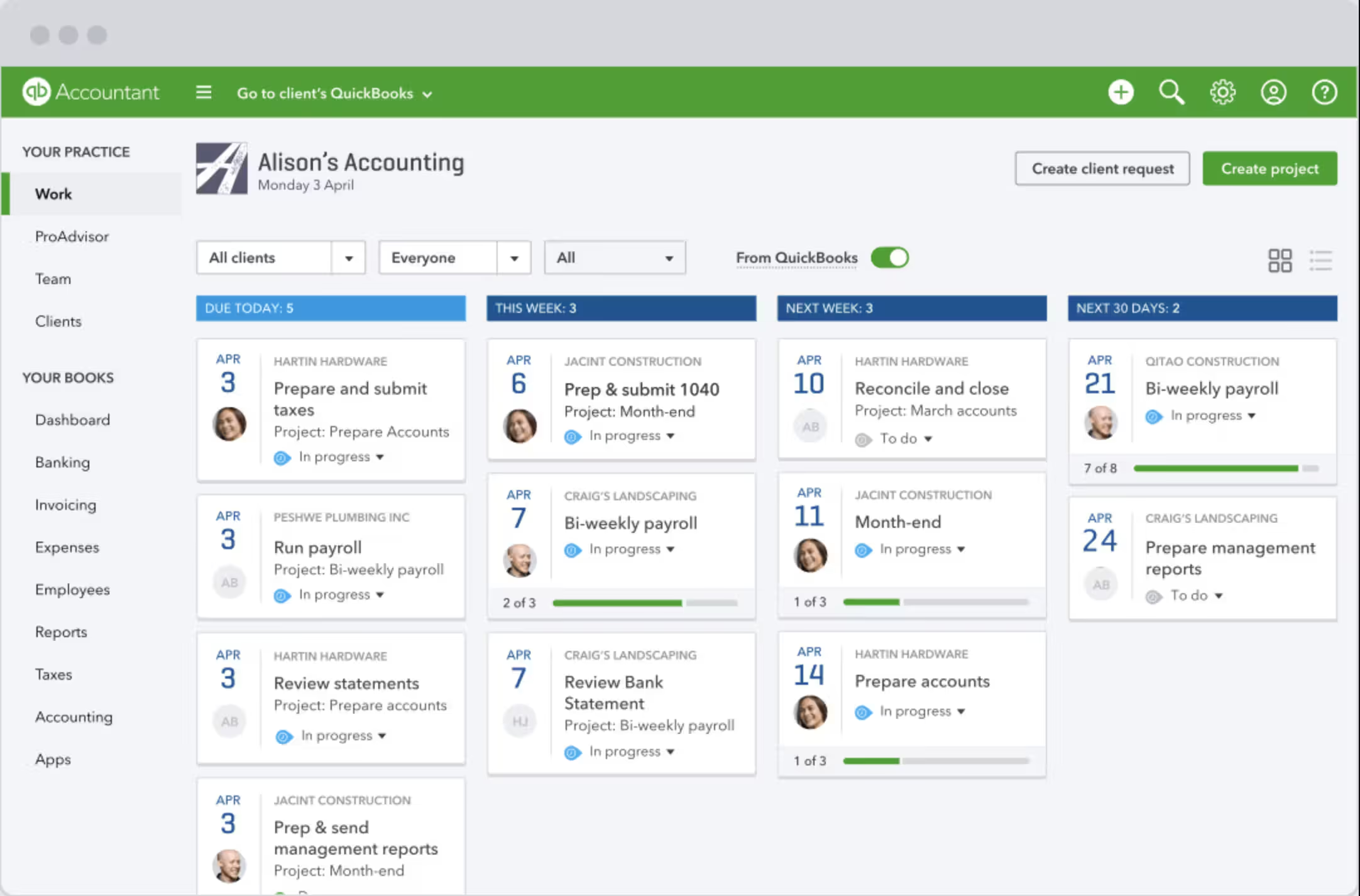
QuickBooks Online Accountant is the most popular cloud-based accounting tool for accountant and bookkeepers. It is designed for bookkeeping, payroll, and general financial management.
It has an intuitive interface that make it easy to manage accounting tasks such as invoicing, expense tracking, payroll process and reporting. However, we should mention that it is not built specifically as a tax compliance platform, and needs other tools to manage advanced taxes and audits.
As your firm scales and takes on more complex clients, QuickBooks’ limitations, particularly in advanced reporting, audit support, and tax compliance, become more evident.
Best features for CPA firms
Who is it for
QuickBooks Online is best suited for small CPA firms, bookkeeping practices, or firms serving small to mid-sized business clients with straightforward financial needs.
It works well as a foundation for firms that primarily handle bookkeeping and payroll, but larger or more complex firms will likely need additional software to meet compliance and audit requirements.
Pros
Cons
⭐⭐⭐⭐⭐ Ratings
G2 4.6/5
Overview
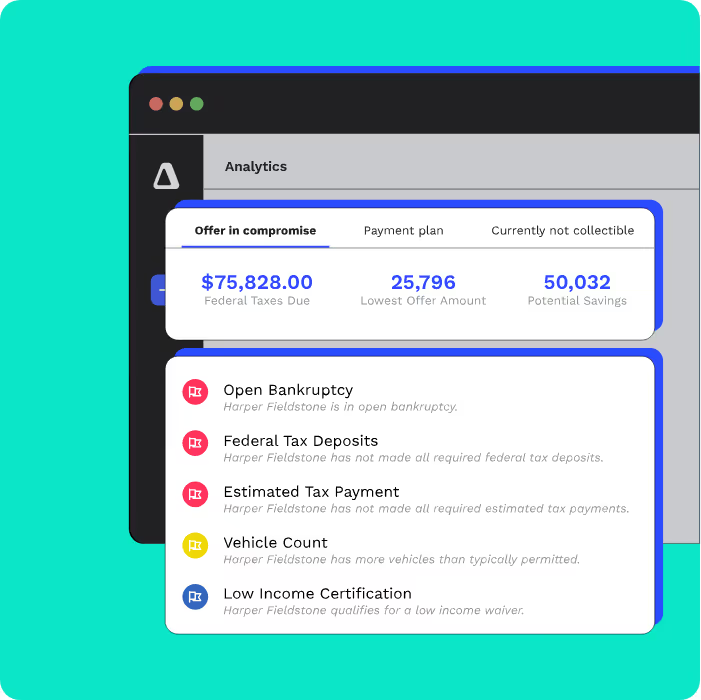
Canopy is a cloud-based practice management and tax resolution platform designed specifically for accounting firms.
It provides an all-in-one environment where CPAs can manage client records, handle tax preparation, track cases, and automate key workflows.
The platform also includes secure client portals for document sharing and communication, helping firms maintain professional client relationships.
While CanopyTax offers significant value in tax resolution and practice management, firms with advanced reporting or compliance needs may find themselves integrating additional tools to round out their technology stack.
Many firms highlight its effectiveness in tax resolution cases and automating workflows. However, some reviews note that its reporting and compliance features may not fully meet the needs of firms handling highly complex or multi-entity clients, requiring supplemental tools.
Best features for CPA firms
Who is it for
Canopy is best suited for small to mid-sized CPA firms that prioritize efficiency in tax preparation, resolution, and client management.
It’s especially valuable for firms that want to consolidate client communication, workflow automation, and document handling into one streamlined system.
Pros
Cons
⭐⭐⭐ Ratings
G2 4.2/5
Overview
Wolters Kluwer is a popular accounting tool among CPA firms.
It offers professional-grade tax, audit, and accounting solutions designed for firms that require advanced compliance, scalability, and accuracy.
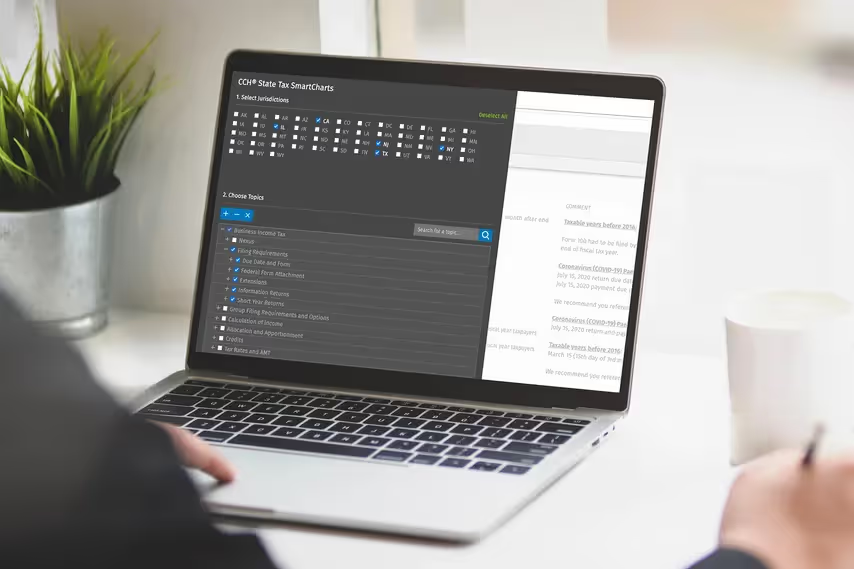
Wolters Kluwers hosts CCH Axcess, a cloud-based platform that integrates tax preparation, document management, workflow automation, and audit support.
Unlike smaller tools that focus on bookkeeping or payroll, Wolters Kluwer provides a highly specialized environment built to handle complex compliance requirements, regulatory changes, and multi-entity structures.
It has a cloud-based infrastructure to handle documents securely, and automation features to manage many clients with multi-staff workflows.
Best features for CPA firms
Who is it for
Wolters Kluwer is best suited for mid-sized to large CPA firms that need deep compliance tools, advanced tax preparation, and robust audit support, particularly within the United States.
Firms that prioritize regulatory accuracy, scalability, and secure client data management will find it particularly valuable.
Pros
Cons
At this point, the question isn't really whether you need it. It's whether you have the right one.
A generic tool might keep you organized, but it won't keep up with the complexity of your clients' tax obligations, compliance requirements, and data security demands.
For that, you need software built specifically for CPA firms.
So, how can you choose?
If you’re choosing an accounting software, ask yourself these crucial questions:
There is one tool that ticks all the boxes.
Eleven offers you secure document management, workflow automation, advanced compliance tools, and a universal tax engine.
1. Can general accounting software work for a CPA firm?
Basic tools like Xero or QuickBooks may work for bookkeeping but usually fall short in advanced tax compliance, reconciliation, and security requirements.
You should consider using tools like Eleven, with dedicated CPA features.
2. What makes CPA accounting software different?
CPA software includes features like encrypted document management, automated tax engines, multi-entity support, and compliance tracking that general tools lack.
3. Do CPA firms need cloud-based accounting solutions?
Yes, cloud-based platforms improve accessibility, collaboration, and security while reducing dependency on physical servers and paper storage.
4. How do CPA firms ensure client data security?
By choosing accounting software with robust encryption, role-based access, and dedicated document management systems instead of insecure generic file storage.
5. Which software is best for small CPA firms?
Smaller firms may use QuickBooks or Xero for bookkeeping but should consider transitioning to CPA-focused platforms like Eleven as compliance needs grow.
Related content



We are using cookies. Learn more.

%20(1).avif)
.avif)


